
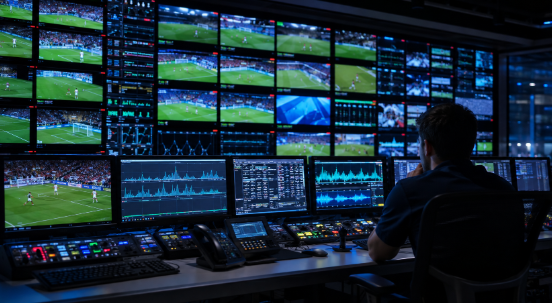
A walkthrough of where delay enters a live sports feed, how operations teams isolate it during an event, and where a managed Occasional Use partner reduces the risk before kickoff.
Latency in live sports streaming is the delay between an action happening at the venue and that action appearing on a viewer’s screen. Delay accumulates at several points in the chain: capture at the venue, encoding, transport to a distribution point, and final delivery to the viewer’s device. A fan who hears a neighbor cheer a goal before seeing it on their own screen is experiencing exactly this delay. Most latency problems trace back to one weak link in that chain rather than a single universal cause, which is why troubleshooting has to isolate where the delay is happening before anyone changes a setting. iKO Media Group (iKOMG), through its Occasional Use (OU) division, builds monitoring and redundancy into the transport layer so a delay gets caught and rerouted before it reaches the viewer.
Troubleshooting a low-latency issue during a live sports stream means working backward through the delivery chain, from venue capture through encoding, transport, and distribution, to find where the delay is actually occurring, rather than assuming it is a single fixable setting. Sports broadcasts are especially unforgiving because social media and neighboring households already know the score in real time, so even a few extra seconds of delay is noticeable. The rest of this article walks through where latency typically originates, how a production team narrows it down during a live event, and how a managed OU partner like iKOMG reduces how often that troubleshooting is needed at all.
What causes latency in a live sports stream
Delay builds up in stages rather than appearing all at once. At the venue, camera capture and initial encoding add a small, largely fixed amount of delay. From there, the signal travels from the venue to a distribution point, whether by satellite uplink, fiber, or an IP-based transport protocol, and this leg is where network conditions have the most influence. Once the feed reaches a content delivery network, segment size and caching behavior determine how quickly it reaches the viewer’s player. Finally, the viewer’s own device buffers a portion of the stream before playback begins, adding one more layer of delay. Each stage may only add a second or two on its own, but a broadcaster who has not isolated which stage is underperforming ends up guessing at a fix instead of applying one.
How to troubleshoot a latency issue step by step
First, confirm what the delay is measured against, comparing the live venue feed timestamp to what viewers are actually seeing, rather than relying on viewer complaints alone. Second, check the transport leg between the venue and the distribution point, since unstable network conditions on this segment are a common source of delay for live sports specifically, given how often production teams work from temporary venue connections rather than fixed infrastructure. Third, look at the distribution and CDN layer, since a content delivery network with poor regional coverage or a cache miss during a live spike can add delay unrelated to the venue signal. Fourth, rule out the viewer’s own device and player buffering settings, which sit outside a broadcaster’s direct control but are still worth confirming before assuming the fault is upstream.
Interested in reading more? Check out The Outsourced Broadcast Network: A Smarter Model for Live Sports.
Where production teams get stuck
The hardest part of troubleshooting live sports latency is that the event is happening in real time, with no window to pause and run a full diagnostic. A production team without live network visibility is often working from viewer reports alone, which arrive minutes after the delay started and rarely say which stage of the chain is responsible. Redundancy is the other common gap: a single-path connection from the venue to the distribution point has no fallback if that path degrades mid-event, turning a fixable delay into a dropped or badly delayed feed. These are not failures of effort. They are the predictable result of running occasional, high-stakes events without the always-on monitoring and backup paths a dedicated live-events operation maintains year-round.
How iKOMG’s OU services reduce latency risk
| OU Capability | What It Covers | Why It Matters for Latency |
|---|---|---|
| Satellite, fiber & IP transport | Global teleport network with satellite capacity, fiber, and IP delivery options for venue-to-distribution transport | Gives production teams a path suited to the venue’s connectivity instead of a single default option |
| CDN streaming & monitoring | Continuous monitoring of the live distribution path alongside CDN delivery | Surfaces a developing delay during the event rather than after viewers report it |
| Real-time network monitoring | SRT link monitoring covering packet loss, round-trip time, and path changes across live video feeds | Lets an operations team isolate which stage of the chain is degrading in real time |
| 24/7 global NOC & engineering support | Continuous operational coverage for live events, independent of time zone | Puts a trained engineer on the delay immediately rather than waiting on an internal team |
iKOMG’s Sports & Live Events service is built specifically for OU clients and includes satellite, fiber/IP, OB vans, DSNG, and 24/7 NOC support. Read more about Choosing a Live Events Distribution Provider: What Occasional-Use Really Means.
Practical takeaways for broadcasters and rights holders
A broadcaster preparing for a live sports event should confirm, before kickoff, which transport path is primary and which is the fallback if that path degrades. It should also confirm who is monitoring the feed in real time and how quickly that team can act on a detected problem, since minutes matter once a live audience is watching. Finally, it should treat latency troubleshooting as a pre-event planning question rather than a live-event improvisation, since the fastest fix during a broadcast is one already built into the setup beforehand. iKOMG combination of redundant transport paths, real-time monitoring, and 24/7 NOC support as a way to handle that planning on a broadcaster’s behalf.
Have an upcoming live sports event you need distributed without latency surprises? Visit iKOMG Sports & Live Events to see how OU services are structured.
FAQs
Q: What is the most common cause of latency during a live sports stream?
A: There is no single universal cause. Delay can originate at venue capture and encoding, during transport from the venue to a distribution point, at the CDN and distribution layer, or in the viewer’s own device buffering. iKOMG’s OU services focus heavily on the transport leg, since that is where unstable venue connectivity most often introduces delay.
Q: How does iKOVIEW help during a live event specifically?
A: iKOVIEW gives iKOMG real-time visibility into SRT network feeds, including packet loss, round-trip time, and path changes, according to iKOMG. That visibility is what allows an operations team to isolate a developing delay while the event is still live rather than after the fact.
Q: What is the Global SRT Mesh Network, and how does it relate to latency?
A: The Global SRT Mesh Network (SMN) is iKOMG’s multi-path IP delivery infrastructure, built to maintain low latency and prevent packet loss even on unstable networks, per iKOMG. It supports multiple transport protocols and automatic failover across paths, which is intended to keep a live feed intact if one path degrades.
Q: Does iKOMG provide a backup path if the primary connection to a venue fails?
A: Yes. iKOMG’s OU services include satellite, fiber, and IP delivery options, and its SRT Mesh Network supports multi-path routing with failover. This redundancy is what prevents a single degraded connection from becoming a dropped or severely delayed broadcast.
Q: Is 24/7 monitoring included with iKOMG’s Occasional Use services, or is it a separate add-on?
A: iKOMG describes 24/7 global NOC and engineering support as a standard part of its OU offering rather than a separate purchase. This is intended to ensure a trained engineer is available regardless of when or where a live event is taking place.
Q: Can a rights holder reduce latency risk before an event even happens?
A: Yes, and iKOMG positions this as the more effective approach compared to troubleshooting mid-event. Confirming the primary and backup transport paths, and the monitoring coverage for a specific venue, ahead of time reduces how often live troubleshooting is needed at all.
Q: How is latency troubleshooting different for sports compared to other live content?
A: Sports latency is judged against a real-time reference that viewers cannot avoid, such as social media, a neighbor’s television, or in-stadium noise, which makes even small delays more noticeable than in other live content. This is why iKOMG’s OU division treats real-time monitoring and redundant transport as standard practice for sports and live events rather than optional upgrades.
